
HANGUL STUDIO · HELP CENTER
How can we help?
Find an answer or ask us for help.
PADO · LEARN BY PLAYING
Game guides
Get to know the controls, try a tutorial, and start playing.
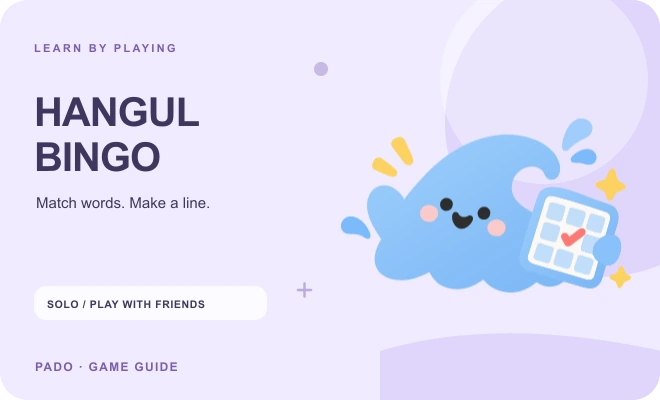
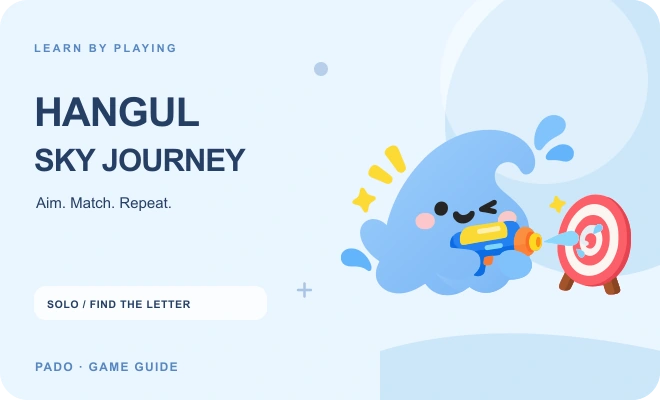
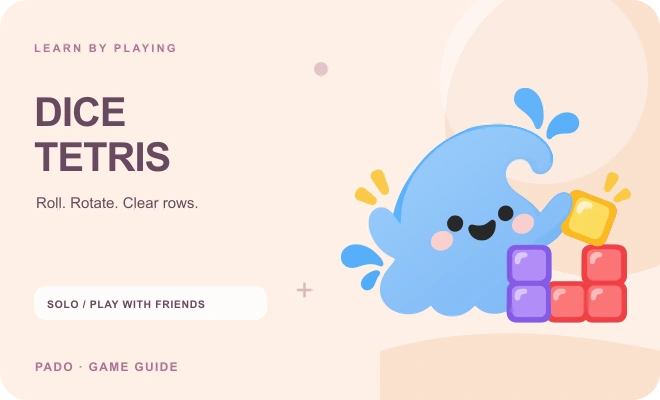
Common questions · Q&A
회원가입과 로그인은 어떻게 하나요?
로그인 화면에서 Google 로그인을 선택하세요. 구글 인증을 마치면 회원 계정이 생성되며, 같은 구글 계정으로 다시 로그인할 수 있습니다.
로그인이 완료되지 않는다면 어떻게 하나요?
로그인 화면으로 돌아가 다시 시도해 주세요. 구글 계정을 선택하고 인증을 마칠 때까지 기다려 주세요. 문제가 계속되면 고객센터의 오류 신고에 발생한 상황과 화면을 남겨 주세요. 비밀번호나 인증 코드는 보내지 마세요.
How do I activate Level 1 access?
Register the code printed in your workbook in My page. You can then keep using that book’s online lessons and audio downloads while this website operates. Your first activation also starts three calendar months of access to the GM Practice Room, Grammar Room, full Vocabulary Room, word notebook practice and games. Enter the code as printed.
How long does access last?
Your registered workbook’s online lessons and audio downloads remain available without a time limit while this website operates. The GM Practice Room, Grammar Room, full Vocabulary Room, word notebook practice and games are included for three calendar months from your first workbook-code activation. Check the exact end date in My page. Community and Diary remain free with no time limit.
Can I extend my access?
Your book-linked lessons and audio remain available while this website operates and do not need an extension. Registering the same workbook again does not extend or restart the three-month access to the GM Practice Room, Grammar Room, full Vocabulary Room, word notebook practice and games. A separate learning coupon follows its stated duration and conditions.
Will my learning record disappear when access expires?
No. Your account, learning progress and saved words are kept after the three-month access ends. Your registered workbook’s lessons and audio remain available while this website operates. Full access to the GM Practice Room, Grammar Room, Vocabulary Room, word notebook practice and games requires a separate active pass. Existing free samples, Community and Diary remain available.
학습 진도와 기록은 어디에서 확인하나요?
마이페이지에서 완료한 단원, 퀴즈 결과, 현재 학습 위치와 저장된 기록을 확인할 수 있습니다. 로그인한 상태로 학습하면 같은 계정의 다른 기기에서도 기록을 이어갈 수 있습니다.
단원 완료는 어떤 기준으로 표시되나요?
단원 퀴즈를 모두 맞히면 해당 단원이 완료로 기록됩니다. 손글씨 쓰기는 연습 활동이며, 자동으로 채점하지 않습니다.
How do I download the audio?
1. Sign in, then choose Download all ZIP or a unit MP3 in Download center. Register the secret code on workbook page 179 in My page. Your registered book’s online lessons and audio downloads continue while this website operates. The GM Practice Room, Grammar Room, full Vocabulary Room, word notebook practice and games are included for three calendar months from first activation. 2. Save the file to your phone, tablet or computer. On iPhone or iPad, look in Downloads in the Files app. On Android, use Downloads in Files or My Files. On a computer, open Downloads. If your browser opens the audio, use its Save or Download option. 3. Extract the ZIP if needed, then play a unit MP3. Every unit begins with English and Korean instructions, followed by practice with time to repeat. The audio follows workbook page and practice-row order. The index lists page start times, optional reference charts and after-check reviews. Keep saved files for personal study after online access expires.
Open Download center ↗학습 성취나 질문은 어떻게 공유하나요?
학습 게시판에서 성취 공유, 질문, 학습 팁 중 분류를 선택해 글을 작성하세요. 사진·동영상·녹음 파일을 첨부하고 다른 회원의 글에 좋아요와 댓글로 응원할 수 있습니다.
어떤 글이 게시판 활동 정지 대상인가요?
상업적 광고, 성적·폭력적 내용, 타인을 비방하거나 괴롭히는 글은 금지됩니다. 관리자가 위반 내용을 확인하면 글·댓글 숨김 처리 또는 게시판 활동 정지를 적용할 수 있습니다. 활동 정지 중에도 로그인과 학습 이용권은 유지됩니다.
부적절한 게시글이나 댓글은 어떻게 신고하나요?
글 또는 댓글의 신고 버튼을 누르고 제목, 내용, 신고 사유를 작성해 주세요. 필요하면 이미지·동영상 자료를 첨부할 수 있습니다. 신고 내용과 첨부 자료는 신고자와 관리자만 확인합니다.
사이트 오류와 일반 문의는 어디로 보내나요?
사이트의 오작동은 오류 신고로, 학습·이용권·계정에 관한 질문은 1:1 문의로 보내 주세요. 마이페이지에서도 바로 작성할 수 있으며, 1:1 문의는 작성자와 관리자만 볼 수 있습니다.
신고·문의에 대한 답변은 어디에서 확인하나요?
마이페이지의 내 신고·문의 내역에서 접수 상태와 관리자 답변을 확인하세요. 게시판 신고, 오류 신고, 1:1 문의를 종류별로 찾아볼 수 있습니다.
사진 편집과 여러 첨부 파일은 어떻게 사용하나요?
사진을 선택한 뒤 사진 편집을 눌러 자르기, 회전, 밝기, 필터와 글 넣기를 사용할 수 있습니다. 편집 적용을 누른 뒤 게시하거나 문의를 보내세요. JPG·PNG·WebP 사진을 편집할 수 있으며, GIF는 원본으로 첨부됩니다. 여러 첨부 자료는 좌우 화살표 또는 모바일 스와이프로 넘겨 볼 수 있습니다.
첨부 가능한 파일과 용량은 어떻게 되나요?
이미지는 JPG, PNG, GIF, WebP, 동영상은 MP4, WebM, 녹음 파일은 MP3, M4A, WAV, OGG, WebM을 지원합니다. 한 번에 최대 3개, 이미지 파일은 각각 8MB, 동영상·녹음 파일은 각각 20MB 이하이며 전체 합계는 30MB 이하여야 합니다.
How old do I need to be to register?
만 16세 이상부터 가입할 수 있습니다. Google 로그인 전에 나이를 확인합니다. 생년월일 자체는 저장하지 않습니다. 연령 조건에 맞지 않으면 가입을 진행할 수 없습니다. 아동 개인정보가 잘못 등록된 경우 padostudio.contact@gmail.com으로 알려 주세요.
Do I need to agree before using Diary and Community?
Before first use, read and explicitly agree to the diary and photo visibility rules, shared editing and deletion rules, private storage of edit reasons, and community rules. The checkbox is not preselected. Agreement to the same notice version applies once to both Diary and Community. We record your account, notice version and text, language and agreement time. Without agreeing, you can return Home and use other services. You can review the notice through Help.
Read the usage notice ↗Will this site automatically charge me?
현재 사이트에는 월 구독료나 자동 결제가 없습니다. Amazon 등 판매처에서 책을 구매하는 거래는 별도입니다. 나중에 유료 서비스를 도입하더라도 무료 이용자를 자동으로 유료 구독에 가입시키지 않고 가격과 조건을 별도로 안내합니다.
Do you need my Amazon account or Google password?
사이트는 Google 로그인으로 이용하며 Google 비밀번호를 직접 받지 않습니다. Amazon/KDP 계정이나 책 구매 비밀번호도 받지 않습니다. 문의나 신고에 비밀번호·인증 코드·신분증·카드 정보를 적지 마세요.
Who can see my posts and attachments?
게시판 글과 첨부 파일은 로그인한 회원에게 보입니다. 승인된 책·사이트 리뷰와 첨부 파일은 비로그인 방문자에게도 보입니다. 표시 이름도 함께 공개됩니다. 신고·오류 신고·1:1 문의·개인정보 요청은 본인과 관리자만 확인합니다. 타인의 얼굴·음성·개인정보는 허락 없이 올리지 마세요.
Is access expiry the same as deleting my account?
서로 다릅니다. 이용권이 만료되어도 계정과 학습 기록은 유지됩니다. 회원 탈퇴·개인정보 삭제는 마이페이지의 개인정보 관리에서 별도로 요청하세요. 관리자가 확인한 답변도 그곳에서 볼 수 있습니다. 요청 접수만으로 즉시 삭제되지는 않으며, 계정 삭제가 처리되면 학습 기록과 이용 권한을 잃습니다.
Does a community suspension stop my learning?
게시판 활동 정지는 글·댓글 작성과 좋아요 등 게시판 활동을 제한하며 학습 이용권은 유지합니다. 상업적 광고, 성적·폭력적 내용, 괴롭힘·타인을 해하는 내용 등은 숨김·삭제 대상입니다. 위반 정도와 반복 여부에 따라 게시판 활동이 1개월·3개월·6개월 또는 영구 정지될 수 있으며 사유와 기간을 안내합니다. 제재에 이의가 있다면 1:1 문의로 검토를 요청하세요.
Are scores or titles official Korean qualifications?
실력 테스트와 칭호는 학습을 재미있게 이어가기 위한 참고 정보이며 공인 자격이나 공식 한국어 능력 인증이 아닙니다. 손글씨 연습은 자동 채점하지 않으며 학습 성과는 연습량과 개인의 상황에 따라 달라집니다.
How do I raise a privacy or content-rights concern?
게시글·댓글의 신고 기능이나 1:1 문의를 이용해 주세요. 개인정보 열람·정정·삭제 등은 마이페이지의 개인정보 관리 또는 padostudio.contact@gmail.com으로 요청할 수 있습니다. 문제가 된 페이지와 내용을 설명하되 불필요한 개인정보는 보내지 마세요. 약관이나 Q&A가 법률상 보장되는 권리를 없애지는 않습니다.
How can a community suspension be lifted?
기간을 정한 정지는 표시된 기한이 지나면 풀립니다. 관리자가 사유를 다시 검토하여 조기에 해제할 수도 있습니다. 기간 제한 없는 정지는 관리자 검토 후 해제합니다. 정지 중에도 1:1 문의를 보낼 수 있으니 잘못된 제재라고 생각하면 사유와 함께 재검토를 요청하세요. 문의를 보낸 것만으로 자동 해제되지는 않습니다.
How are sexual harassment and threats handled?
성적 괴롭힘, 폭력적 협박 등 타인의 안전과 권리를 침해하는 행위는 게시판 제재 외에도 관계 법령에 따라 수사기관 신고 및 민·형사상 책임의 대상이 될 수 있습니다. 법적 책임은 관할 법령과 구체적인 사실에 따라 판단되며 사이트가 형사 처벌을 결정하지 않습니다. 피해자는 게시글·댓글 신고 또는 1:1 문의로 알릴 수 있습니다. 즉각적인 위험이 있다면 사이트 답변을 기다리지 말고 현지 긴급 신고기관에 연락하세요.
Do the harmful-content rules also apply to reviews and inquiries?
네. 게시글·댓글·책이나 사이트 리뷰·문의·신고와 사진·영상·녹음 등 모든 작성·첨부 공간에 적용합니다. 음모론, 가짜뉴스·허위정보, 개인·집단 폄하·비방, 차별·혐오, 성적 괴롭힘과 폭력적 협박 등 타인을 해하는 내용은 금지됩니다. 위반 정도와 반복 여부에 따라 내용을 숨기거나 삭제하고 게시판 활동을 1개월·3개월·6개월 또는 영구 정지할 수 있습니다. 필요한 피해 증거를 비공개 신고로 전달하거나 잘못된 정보를 선의로 바로잡는 것은 괴롭힘과 구분합니다.
Do you cooperate with law-enforcement evidence requests?
본 사이트는 관계 법령에 따른 적법한 수사기관의 증거 보존·제출 요청에 적극 협조합니다. 요청 기관의 신원·권한과 법적 요건을 확인하고 필요한 범위의 자료만 보존·제공합니다. 수사기관 요청이 있다는 이유만으로 모든 이용자의 정보를 일괄 제공하거나 영구 보관하지 않습니다. 상세한 개인정보 처리 기준은 개인정보 안내에서 확인할 수 있습니다.
Can reporting access be restricted?
After reviewing evidence of repeated deliberately false or prank reports, an administrator may restrict reporting for 7, 30 or 90 days, or until lifted. The report form shows the reason and duration. Timed restrictions expire automatically. Dismissed or good-faith reports are not automatically penalized. Learning, your private diary and private inquiries remain available. Use a private inquiry to explain your circumstances and request a review if you disagree with a restriction.
No results. Try another search or send a private inquiry.